 Halterio
Comment mode
Pick an element on the page and type what you want different. The comment lands on the composer with the element’s selector, like a diff comment, ready to send.

Run them side by side, each thread with its own checkout, transcript, diff, terminal and pull request.
Written in Rust, local-first, no account. Installers for macOS, Windows and Linux are coming soon.
The access token lives for an hour, and it only refreshes after a request fails with a 401.
Done. refreshIfExpiring() now runs on an interval derived from the token’s exp, and the 401 path is the fallback rather than the trigger.
The tests pass. Want me to open a pull request against main?
Start a thread on any installed agent CLI, pick the model and effort, and watch it work. Each thread lives in a fresh git worktree or a folder you choose, with the diff, files, terminals and pull request beside the transcript.

Ten agents, ten branches, no collisions. Or run in a folder directly when you want to. Worktrees are listed, cleaned up and reused from Settings.
Send a follow-up while the agent works, interrupt it, or answer its questions and permission prompts inline. The sidebar tells you which threads are waiting on you.
gpui rendering, a virtualized transcript with streaming markdown and syntax highlighting, frosted surfaces on macOS and Windows. Hundreds of threads stay smooth.
Every thread opens surfaces beside its transcript. Some are what you’d expect from a coding tool. Three of them let the agent see what you see.
Open, closed and merged pull requests for the selected project or for every project, with checks, review threads and the diff. A PR opened from a thread stays attached to it.
gh CLI you already have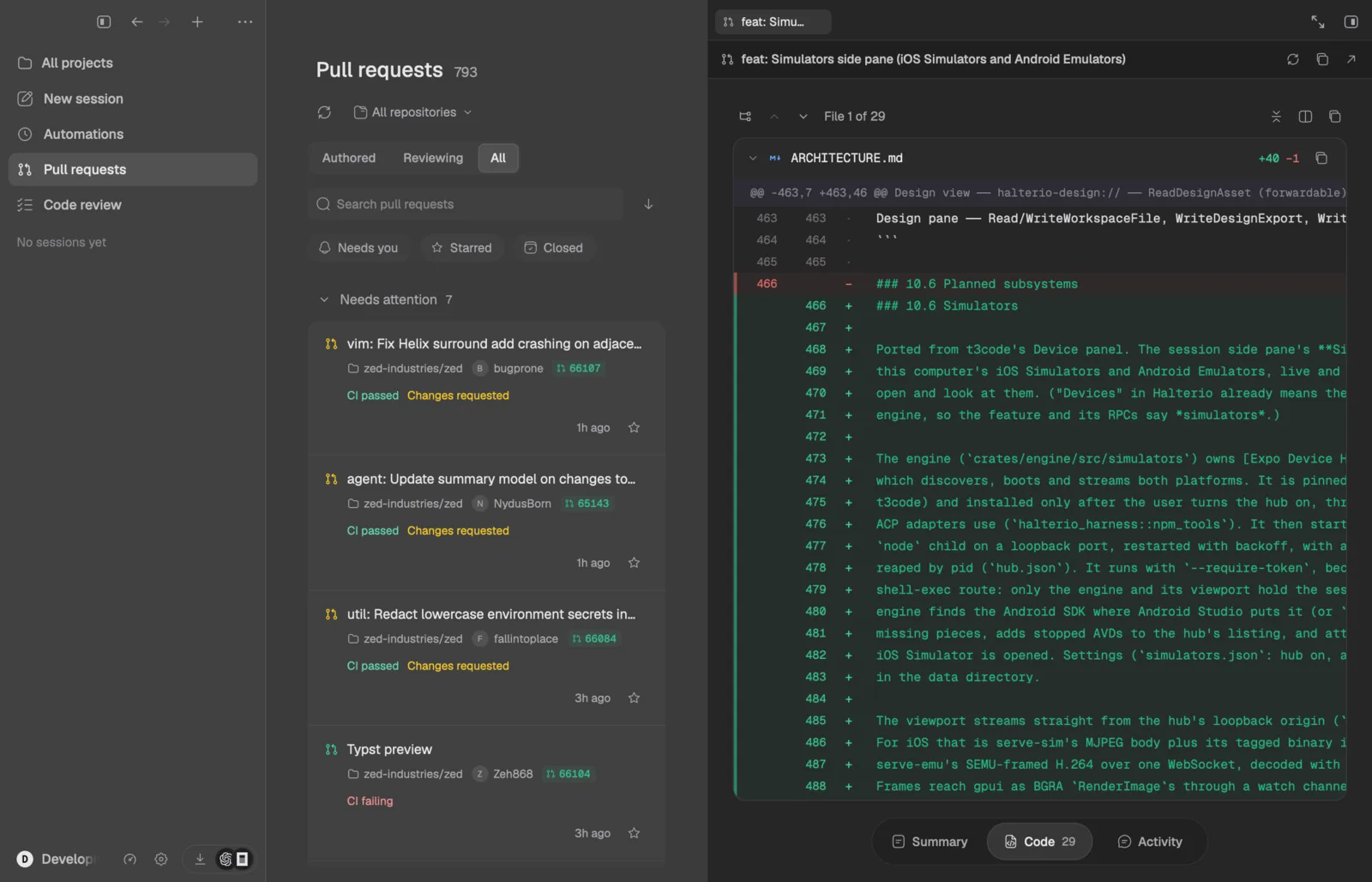
Agents write clickable HTML designs under designs/ in the checkout. The pane renders them at Fit, desktop, tablet and phone widths, reloads live as files change, and lets you comment on elements or edit text in place.
@tweak sliders for CSS variables, written back to the file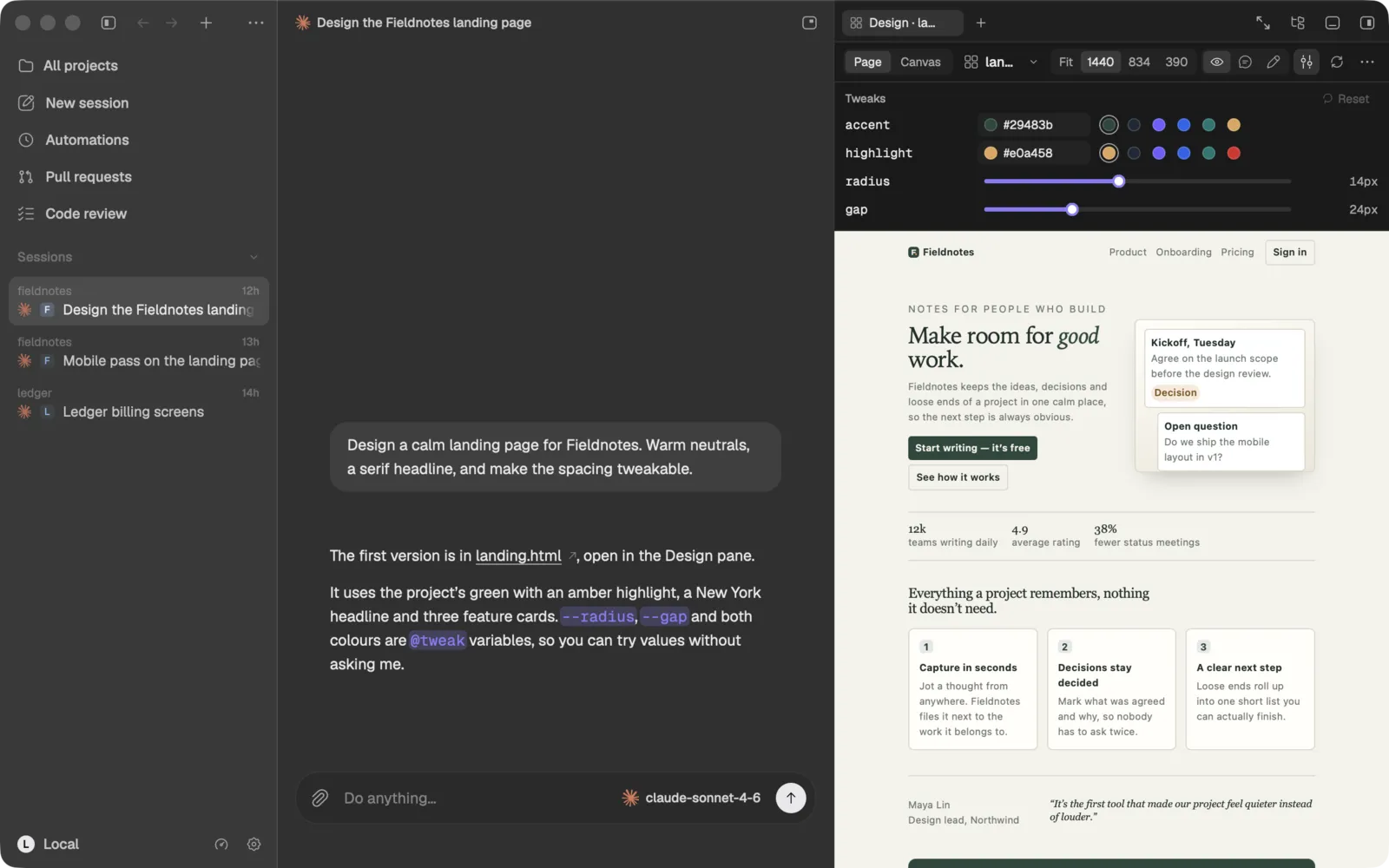
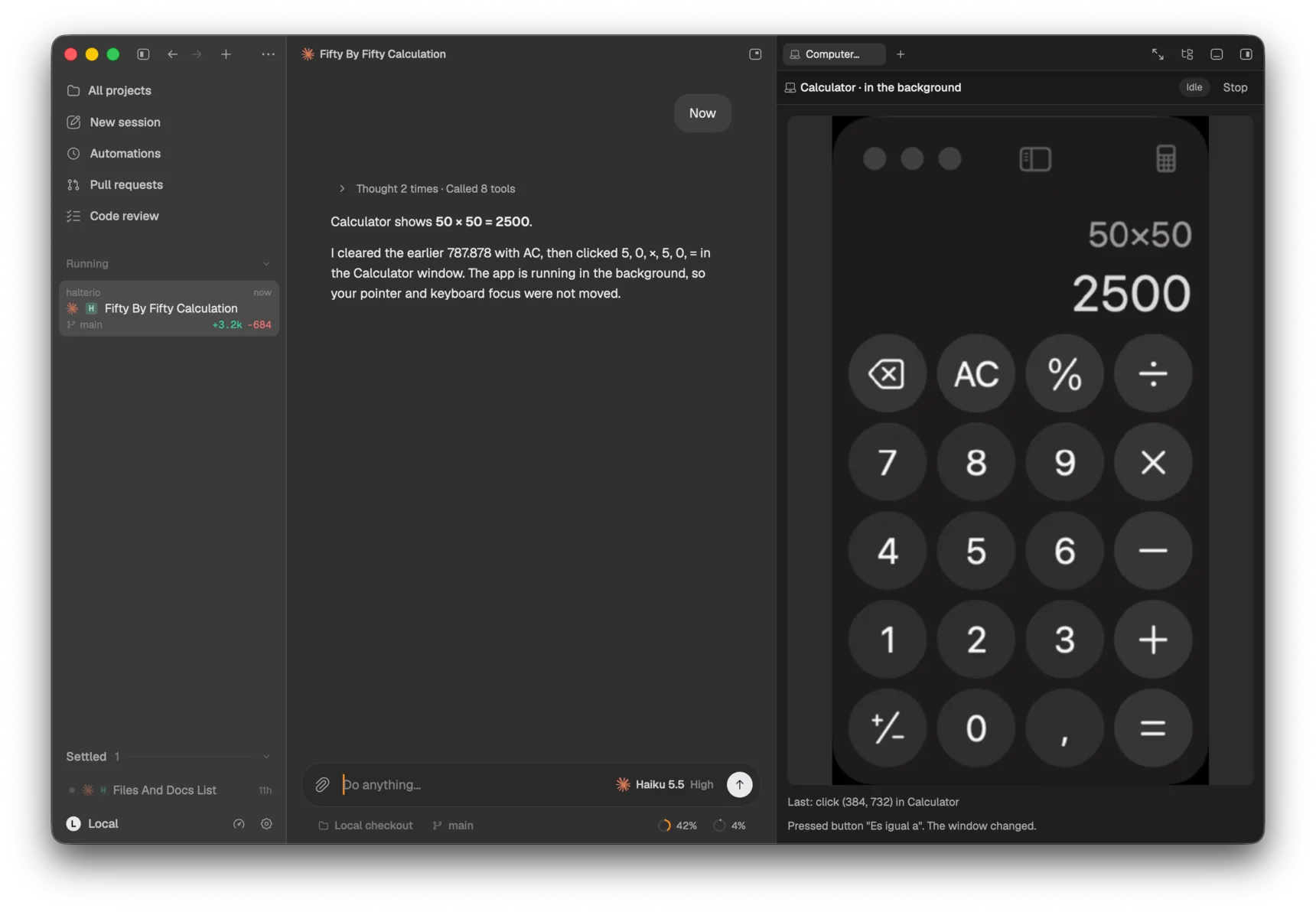
With Computer Use on, an agent can take a screenshot of your display and act on it, one action per look. In app mode it works inside a single app in the background, without moving your pointer or stealing focus.
Your iOS Simulators and Android Emulators stream live into the side pane. Click, drag, scroll and type on them, and let agents open and screenshot them while they work on a mobile app.
simulator_list, simulator_open, simulator_screenshot and simulator_close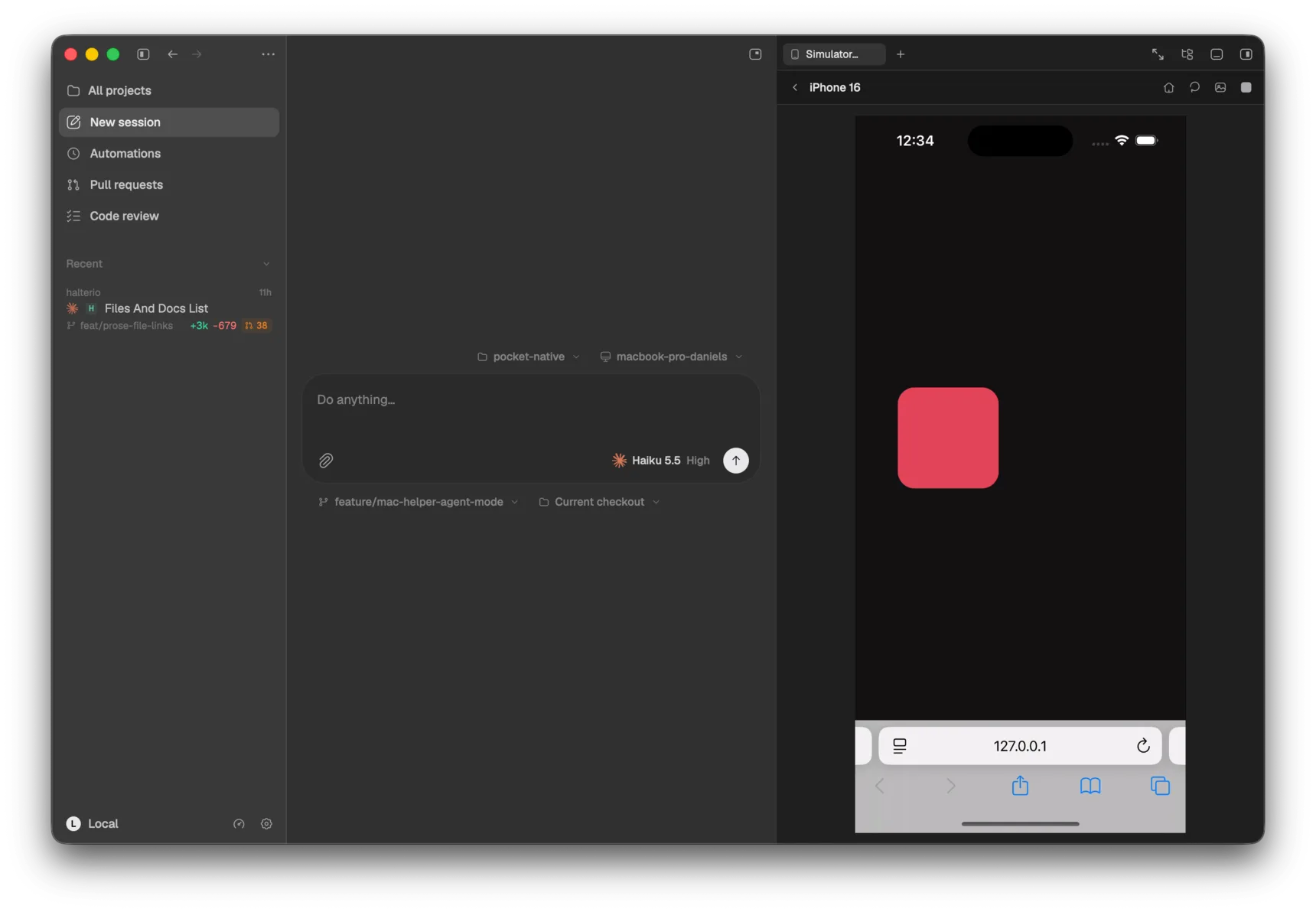
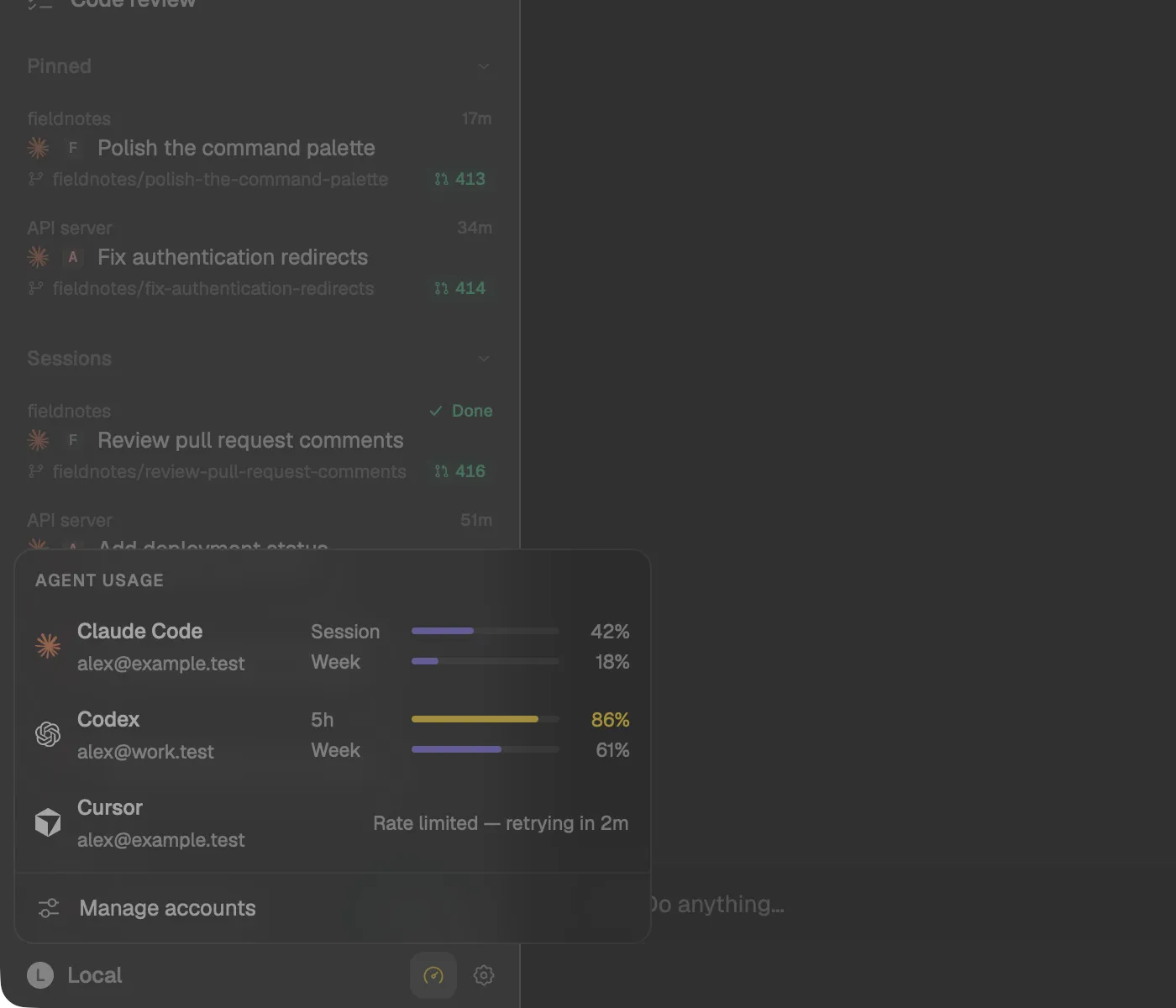
Plan usage for every provider you’ve signed in to, from the sidebar. Session and weekly windows, the reset countdown, and rate-limit retries, so a run doesn’t hit a wall you couldn’t see coming.
A design in Halterio is an HTML file the agent wrote, living in your repo. That means agents edit it with the tools they already have, it versions with the code, and implementing it is a matter of handing over a path.
Pick an element on the page and type what you want different. The comment lands on the composer with the element’s selector, like a diff comment, ready to send.
A CSS variable with an @tweak comment gets a slider in the pane. Drag it, the page updates live; release it, the value is written back into the file.

Every design of the project, at every viewport, side by side on an infinite board. Its layout is designs/canvas.json in the repo, so it’s shared by every thread of the project.

Type /design-canvas onboarding flow and the agent reads your project’s designs/design-system.md, writes the page, and opens it in the pane. Agents can also look for themselves: design_open, design_screenshot, design_console and design_selection are tools every thread gets.
:root {
  --radius: 12px;      /* @tweak 0 32 1 */
  --gap: 24px;         /* @tweak 0 64 4 */
  --accent: #6d5efc;   /* @tweak color */
}Every thread gets the Halterio MCP server. A Claude Code lead can fan out Codex and Devin children, steer them while they run, wait for a turn to settle and read the result. It works across every harness because it lives in the engine, not in any one CLI.
› create_chats [
    { harness: "codex",  title: "Rate limiter for /v2" },
    { harness: "devin",  title: "Retry idempotent webhooks" },
    { harness: "pi",     title: "Audit contrast on light theme" }
  ]
✓ 3 chats created: a1f2…  7c90…  e4d1…

› wait_for_turn { chat: "a1f2", timeoutSeconds: 600 }
⋯ status: awaitingInput
  "Keep the 30-day refresh window?"

› respond_to_input { chat: "a1f2", answers: ["yes"] }
› send_message { chat: "7c90", mode: "auto",
    message: "Also cover the 5xx path." }

› wait_for_turn { chat: "a1f2" }
✓ completed, +140 −31, feat/rate-limitcreate_chatssend_messagewait_for_turnread_chatrespond_to_inputscreenshotcomputer_action once. Only while Computer Use is on.design_opensimulator_open$ halterio # the desktop app
$ halterio headless # engine only, IPC on 127.0.0.1:28654
$ halterio daemon install # launchd / systemd --user unit
$ halterio status # engine and profile status
$ halterio mcp # the tool server every thread gets
$ HALTERIO_HARNESS=mock halterio # a scripted agent, no CLI neededThe desktop app is a viewport over a local engine. Run that engine alone on a build box or a VPS and it keeps running agents, hosting terminals and computing diffs when nobody is looking.
No sign-up. Data lives in ~/.halterio. The engine’s port is loopback-only and every connection carries a token minted at start.
Switch Claude Code and Codex logins from Settings and watch plan usage meters fill up, per provider, before a run hits a limit.
Working, needs input, done and errored come from the harness itself and from programs in your terminals. A stale signal is never shown as finished.
A global shortcut captures any app window into the composer. Voice input runs on-device on macOS with the bundled Parakeet model.
Every theme is a fully resolved palette, down to the terminal’s ANSI colors. Pick an accent override, choose frosted or opaque surfaces, or link a VS Code theme file and reload it as you edit.
~/.halterio on macOS and Linux, or %LOCALAPPDATA%\Halterio on Windows: transcripts, settings, logs and run journals. The engine listens on localhost only, and every connection must present a token the engine minted when it started.Three things get most of the effort next: a new shell, account-free remote control, and a phone that can approve a prompt.
Running on macOS, Windows and Linux. Design canvas, Computer Use and Simulators are in. Installers are next.
The new sidebar: attention groups, three-line thread rows, provider usage dock, titlebar search.
Pair a phone or another computer by QR code. Noise end-to-end encryption, per-device scopes, off by default.
The in-app updater, and your desktop as a controller for agents running on other hosts.
Runs on a schedule, on a push, or when CI fails. A review queue for everything agents changed.
Off-network relay, hardening, and a phone app that follows transcripts and answers prompts.
Halterio runs on macOS, Windows and Linux. The first builds ship as a signed macOS disk image, a Windows installer with a portable build, and a Linux tarball with an install script. The app keeps itself up to date after that.
Signed disk image, Apple silicon and Intel.
Per-user installer and a portable build.
Tarball with an install script and a desktop entry.